You are at work, and your dog has been home for a while. Are they sleeping on the couch, barking at a delivery, or walking between the door and their bed? The best dog cameras in 2026 can help you answer that kind of question. Choosing one starts with the view you need, the footage you want to keep, and the person who can respond.
This guide compares five specific indoor security cameras that can also monitor dogs. None dispenses treats. A camera cannot provide exercise, bathroom breaks, company, or emergency assistance. It should support a care arrangement, rather than extend the time a dog is left without appropriate help.
Disclosure: This article contains affiliate links. We may earn a commission from qualifying purchases at no additional cost to you.
As an Amazon Associate I earn from qualifying purchases.
Amazon buttons and table links below are affiliate links. Check the selected model, seller, current price, and availability on Amazon. We have not physically tested these cameras.
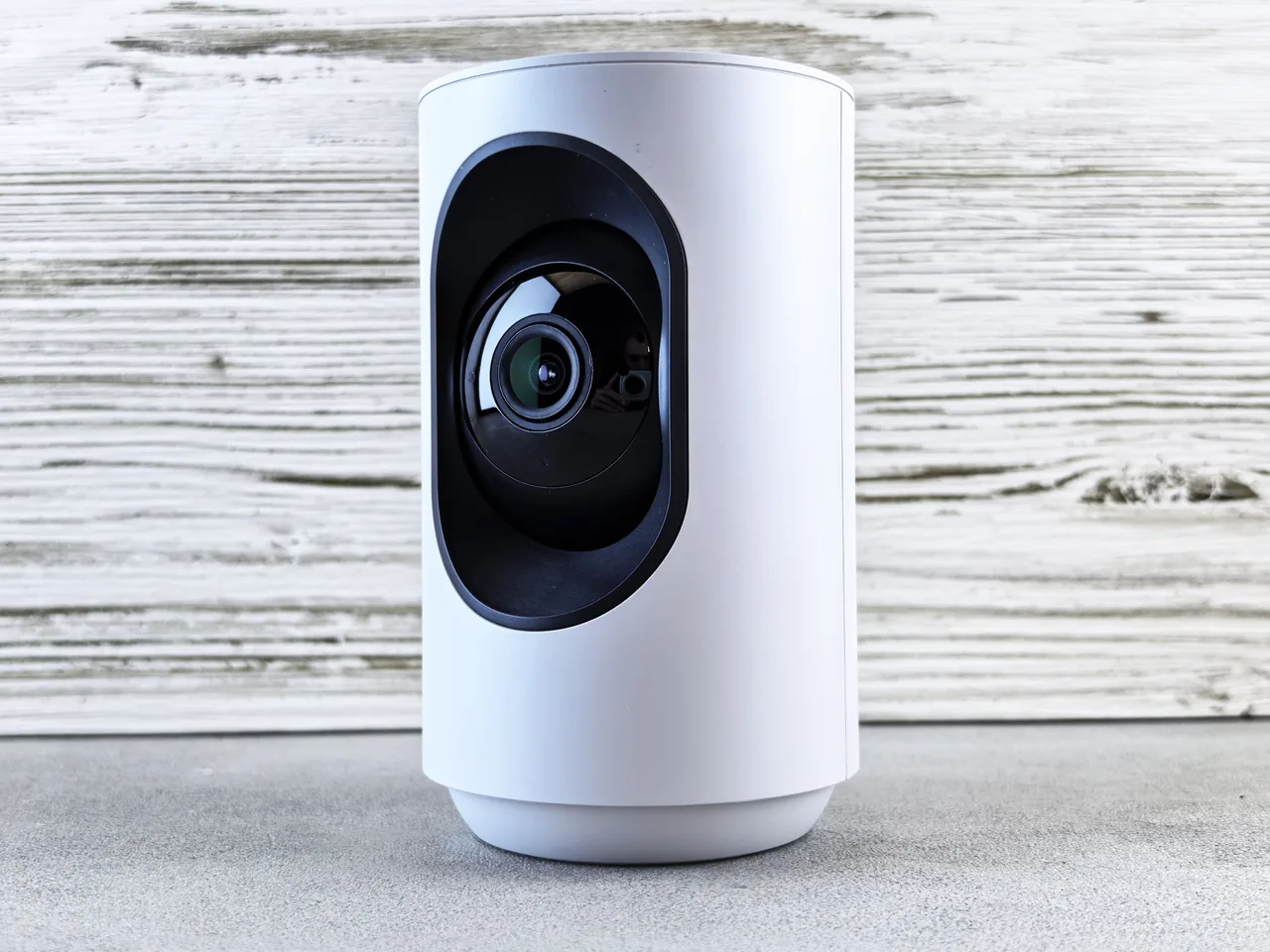
The Best Dog Cameras in 2026: Quick Picks
These picks identify useful differences within this five-model shortlist. They are research-based judgments about fit, not a ranking of measured picture quality or detection accuracy. All five need wired power; Wi-Fi does not mean battery-operated.
Kasa EC70: for an existing Kasa setup
Its documented tracking and patrol mode make it useful for checking several viewpoints. The main compromise is 1080p resolution and the need to verify current app compatibility.
Check Price on AmazonAffiliate link
Tapo C210: for more image detail
Its 2304 × 1296 recording provides more pixels than the 1080p options. Motorized coverage adds flexibility, but extra pixels cannot remove furniture blind spots.
Check Price on AmazonAffiliate link
blurams A31: for a four-camera dashboard
The listing documents simultaneous viewing of four cameras and motion tracking. Conflicting generation details make exact hardware confirmation especially important before buying.
Check Price on AmazonAffiliate link
Tapo C100: for one fixed resting area
A stationary lens suits a bed or doorway that stays in one place. It is the clearest fixed-view choice here, but cannot turn toward a dog outside the frame.
Check Price on AmazonAffiliate link
Tapo C200: for basic motorized coverage
Choose it when 1080p is sufficient and changing direction matters more than extra pixels. Compare its current offer with the C210; a small difference may favor the higher-resolution option.
Check Price on AmazonAffiliate link
Dog Camera Comparison Chart
The Amazon links in this table are affiliate links. Scroll within the table on a phone. The reviews provide a readable alternative. “360°” describes coverage reached by turning, not a simultaneous panoramic recording. Local cards are sold separately.
| Camera | Resolution | Pan/Tilt | Night Vision | Two-Way Audio | Motion Tracking | Storage | Subscription | Best For | Check Price |
|---|---|---|---|---|---|---|---|---|---|
| Kasa EC70 | 1080p | 360° / 113° coverage | IR, up to 30 ft | Yes | Yes | microSD up to 256 GB; cloud | Optional cloud | Kasa households | View on Amazon |
| Tapo C210 | 2K, 2304 × 1296 | 360°; tilt varies by revision | IR, up to 30 ft | Yes | Current revision supports it | microSD up to 512 GB; cloud | Optional Tapo Care | More image detail | View on Amazon |
| blurams A31 | 2K advertised; listing conflict | 360° coverage; exact tilt not confirmed | IR; range not confirmed | Yes | Yes | Listing: microSD up to 128 GB; cloud | Optional paid history; terms vary | Multi-camera viewing | View on Amazon |
| Tapo C100 | 1080p | Fixed | IR; listing says up to 30 ft | Yes | No motorized tracking | microSD; capacity varies by revision; cloud | Optional Tapo Care | One fixed area | View on Amazon |
| Tapo C200 | 1080p | 360°; tilt varies by revision | IR; sources differ, 30–40 ft | Yes | Current revision supports it | Listing: microSD up to 512 GB; cloud | Optional Tapo Care | 1080p room coverage | View on Amazon |
Check the hardware revision. Current manufacturer pages and older listings do not always describe identical hardware. The C100 official V5.60 page lists 40-foot night vision, while the linked listing says 30 feet. C200 sources also differ. The blurams listing mixes 2K and legacy 1080p identifiers; its current official page adds Wi-Fi 6 and 256 GB support that we cannot confidently assign to every unit under the linked ASIN. Confirm these details with the seller if they determine your purchase.
In-Depth Reviews: The 5 Dog Cameras Compared
1. Kasa Smart Indoor Pan/Tilt Camera EC70
The EC70 earns its place through a practical combination: 1080p video, motorized coverage, motion tracking, and patrol mode. Kasa documents a 360° horizontal view and 113° vertical coverage. Its official page and the linked listing agree on infrared night vision up to 30 feet and microSD storage up to 256 GB.
Patrol mode is useful when the dog alternates between a bed and a doorway. You can organize selected viewpoints instead of dragging the view each time. However, the lens records where it is pointing. A patrol route can miss something at the opposite side of the room, while tracking can follow an unrelated movement.
The camera supports motion and sound alerts, two-way audio, and continuous local recording. Cloud history is optional. Kasa’s documentation describes the Kasa Smart app; the current Amazon listing also mentions Tapo compatibility. Check the supported setup for the supplied hardware rather than assuming every older unit shares newer app features.
- Pros: documented patrol control; motion and sound alerts; local recording without a monthly cloud plan.
- Cons: fewer pixels than the C210; 2.4 GHz Wi-Fi requirement; a moving view can leave the resting area off-screen.
Who should buy it: owners already managing Kasa devices who want several deliberate viewpoints. Who should skip it: buyers needing sharper distant detail or a camera that connects directly to a 5 GHz-only network. Its optical field of view was not confirmed in the documentation reviewed; rotational coverage is a different measurement.
Check Price on AmazonAffiliate link
2. TP-Link Tapo C210 2K Pan/Tilt Camera
The C210 is the strongest first shortlist here when image detail is the priority. Its documented 2304 × 1296 frame contains about 44% more pixels than 1920 × 1080. That is a meaningful specification difference, although it does not prove 44% better real-world footage. Lighting, compression, distance, and movement still affect what you can interpret.
For checking whether a dog is holding a toy or changing posture, those extra pixels may be useful at a sensible distance. They do not turn digital zoom into optical zoom. Aim the camera so the dog occupies enough of the image before paying attention to zoom controls.
The current official C210 revision documents tracking, two-way audio, motion/person/baby-cry alerts, 2.4 GHz Wi-Fi, and microSD storage up to 512 GB. Its optical field of view is listed as 98° diagonal and 83° horizontal. This is narrower than its rotating coverage; neither figure means it watches the whole room at once. The Amazon listing advertises 360° horizontal and 114° vertical coverage, while the current technical table uses different mechanical and total-coverage figures.
- Pros: higher documented resolution than the three 1080p models; local storage; flexible motorized view.
- Cons: revision-dependent specifications; no evidence here of superior tracking accuracy; rich cloud notifications can require Tapo Care.
Who should buy it: owners who need a more detailed room view and will confirm the shipped revision. Who should skip it: buyers whose existing 1080p camera already clearly shows the relevant bed, or who need dependable identification through poor lighting and obstructions. None of these specifications guarantees that outcome.
Check Price on AmazonAffiliate link

3. blurams Indoor Security Camera A31, Advertised as 2K
The blurams option has a distinct appeal for someone watching several areas. The linked listing describes viewing four cameras simultaneously in the app or web portal, along with motion tracking and two-way audio. That makes its viewing workflow worth considering before comparing resolution alone.
There is a significant documentation caveat. The listing identifies model A31 and advertises 2K, yet also contains a 1080p item description and a legacy 1080P part number. Its storage bullet says 128 GB. The manufacturer’s current A31-family page describes an updated 2K unit with dual-band Wi-Fi 6 and 256 GB support. We have not established which generation every seller supplies under this ASIN.
Consequently, this guide does not promise dual-band connectivity, an exact pixel count, optical viewing angle, or a particular night-vision distance for the linked unit. Infrared night viewing, motion/human/abnormal-sound notifications, and automatic tracking are described in the listing. Its advertised free cloud allowance is a 12-second alert clip retained for 24 hours; longer history and continuous cloud recording involve separate service terms.
- Pros: documented four-camera dashboard; app and web viewing described; tracking and optional local storage.
- Cons: conflicting hardware details; free short clips are not a continuous timeline; paid-cloud features and retention need plan confirmation.
Who should buy it: owners who value that dashboard and can obtain exact hardware confirmation. Who should skip it: anyone who needs an unambiguous storage or Wi-Fi specification before ordering. We would resolve those uncertainties before choosing it over a clearly identified Tapo or Kasa unit.
Check Price on AmazonAffiliate link
4. TP-Link Tapo C100 1080p Fixed Camera
The C100 offers a simpler decision than the rotating models: point it at the place you need to see. A fixed lens can keep a bed and nearby exit in frame instead of turning toward unrelated activity. It also removes the need to manage a patrol route.
The linked listing confirms 1080p, infrared night vision, two-way audio, and motion/person/baby-cry alerts. It is not a motorized tracking camera. Current official V5.60 specifications list a 117° diagonal optical field of view, 98.8° horizontal, 2.4 GHz Wi-Fi, and microSD support up to 512 GB. These figures describe that revision; the exact hardware revision of the linked offer was not confirmed.
The fixed view is useful when you can position it correctly. If a sofa hides the dog, turning controls cannot rescue the view. Try the placement before permanently mounting it. Also confirm the night-vision range and card limit for the supplied version: the current official page and Amazon description are not fully consistent.
- Pros: stable coverage of one area; no motorized aiming workflow; optional local recording.
- Cons: cannot turn toward another room corner; 1080p limits distant detail; revision-specific capacity and range need checking.
Who should buy it: owners monitoring one predictable resting area who want to compare a basic fixed option against motorized alternatives. Who should skip it: households where the dog regularly moves behind the camera or among separate rooms. A low current price only represents value if the fixed view answers your actual question.
Check Price on AmazonAffiliate link
5. TP-Link Tapo C200 1080p Pan/Tilt Camera
The C200 sits between the C100’s fixed view and the C210’s higher resolution. It adds motorized room coverage while retaining 1080p. The linked listing describes 360° horizontal and 114° vertical coverage, two-way audio, motion notifications, and local storage up to 512 GB.
Choose it for checking different areas of one open room when 1080p is enough. Compared with buying the C210, the sensible question is whether the current saving matters more than extra detail. We have not established a stable price advantage, so there is no permanent “cheapest” badge.
The current official V3.20 page documents tracking and person/baby-cry detection, but older hardware should not automatically inherit those capabilities. Its overview and specification table also use different tilt-coverage figures. Night-vision descriptions vary between 30 and 40 feet across the reviewed sources. This is not evidence that the C200 sees farther in practice than the C210.
- Pros: flexible viewing direction; two-way audio; local recording option without a compulsory cloud plan.
- Cons: less image detail than the C210; hardware-version uncertainty; motorized movement still leaves blind spots.
Who should buy it: owners who want basic 1080p pan/tilt and can confirm the desired features on the supplied revision. Who should skip it: buyers who need the C210’s documented pixel count or expect automatic tracking to keep every moving dog continuously visible.
Check Price on AmazonAffiliate link
Which Dog Camera Is Best for Your Home?
Budget-friendly monitoring: compare the C100’s fixed view with the C200’s motorized coverage at current prices. Neither earns a universal lowest-cost claim. Better image detail: the C210 has the clearest documented resolution advantage over the 1080p models.
Fixed-room monitoring: choose the C100 when the important area fits its frame. Wider room coverage: consider the EC70, C200, or C210, remembering that turning takes the lens away from another area. Motion tracking: EC70 and blurams document it; current C210 and C200 revisions also support it. We have not measured tracking speed or accuracy.
Local storage and avoiding recurring fees: all five describe local-card options. Check exact card compatibility and playback first. For a broader decision between equipment and human check-ins, start with our indoor dog camera guide. Browse Product Guides when planning the rest of your setup.
How to Choose a Dog Camera
Match image detail to a specific view
Stand where you plan to install the camera and identify the bed, doorway, and likely obstructions. A more expensive camera cannot see through a couch. Wider optical coverage includes more of the room but can make the dog smaller in the image. Motorized coverage and the lens’s instantaneous field of view answer different questions.
Check the picture with normal daytime and evening lighting. Infrared footage is generally black and white; reflective windows and nearby glossy surfaces can obscure it. Our indoor camera buying checklist explains how viewing angle, distance, and recording needs work together.
Choose alerts you can act on
Motion detection does not distinguish restlessness from ordinary stretching. Person detection is not pet identification, and baby-cry detection is not a verified barking classifier. Begin with a useful activity zone and a manageable schedule. Check what happened in the recording before interpreting an alert.
Introduce two-way audio while you are home. Some dogs respond calmly; others search for an absent person or become unsettled. Stop using the speaker if it increases concern. Do not use remote sirens or alarm sounds as a training shortcut.
Plan recording, connectivity, and installation
For departure patterns, a timeline may matter more than occasional live viewing. Check continuous versus event recording, card endurance, overwriting, playback, and export. A larger card does not establish a fixed number of days: resolution, bitrate, recording mode, and activity change retention.
Kasa EC70 and the three Tapo models require 2.4 GHz Wi-Fi according to the reviewed documentation. Blurams connectivity needs exact-generation confirmation. Check the signal at the final location, then open the feed through your phone’s cellular connection. An app working beside the router does not prove remote access will work from your workplace.
Use the specified adapter and mounting hardware. Keep the camera stable and cables beyond chewing reach without creating a trip or entanglement hazard. Follow mounting instructions, preserve ventilation, and avoid insecure furniture edges. Family access should use the app’s supported sharing controls, rather than a shared administrator password.
Can a Dog Camera Help With Separation Anxiety?
A recording can show pacing, repeated vocalizing, escape attempts, or difficulty settling after departure. Those observations may help a veterinarian or qualified behavior professional understand a pattern. They do not establish a diagnosis, and buying a camera is not treatment.
Use our planning guide for time alone to organize appropriate care. A backup caregiver plan matters when an observation requires action. Persistent or severe distress deserves prompt professional assessment; do not simply keep watching while extending the absence.
Keep walks, rest, and suitable enrichment in the daily routine. Our guides to building an enrichment menu, helping a dog settle at home, and planning exercise address needs that a camera cannot meet.
Privacy and Security: What Dog Owners Should Know
A dog camera also records the people who share that room. Discuss placement and audio recording with family members, visitors, and caregivers. Aim at the relevant dog area rather than bathrooms, private sleeping spaces, neighboring windows, or shared hallways. Check applicable recording rules before capturing other people.
Use a unique account password and enable multifactor authentication when available. Keep camera firmware, the app, and router software current. Review shared users regularly and remove access when it is no longer needed. Verify deletion and retention controls before storing sensitive household footage.
Local storage does not remove online account risks when remote viewing is enabled. Similarly, encryption terminology alone does not establish that a device is invulnerable. We have not independently audited these products’ security or established comparable support-end dates. Privacy modes and masked zones vary by revision and app; check them with an actual recording.
Do You Need a Monthly Subscription?
You do not need a compulsory cloud subscription for the basic live-view and local-storage uses described for this shortlist. You still need the required account, compatible hardware, power, connectivity, and a separately purchased card for local recordings. Free service terms can change.
Kasa EC70: its listing documents continuous microSD recording up to 256 GB without monthly storage fees; paid cloud history is optional. Tapo C210, C100, and C200: Tapo Care is optional, while compatible cards provide local storage. Rich notifications, saved cloud clips, longer history, and other premium functions depend on the eligible plan and model.
blurams A31: the linked listing describes free 12-second alert clips held for 24 hours. Treat that as a limited event service, not uninterrupted recording or permanent storage. Longer history and cloud continuous recording require checking paid options. Its card-capacity conflict also needs resolving before buying accessories.
Compare the complete setup cost: camera, appropriate card, mounting supplies, and any chosen plan. A free trial is not a permanent entitlement. We do not publish static Amazon prices or a guessed annual cloud bill. Review current service eligibility in the app before committing.
Frequently Asked Questions
Can I watch my dog from work?
Yes, when the camera has power and an internet connection and your phone can use the supported app. Test remote viewing over cellular data first. Workplace network restrictions may also affect access.
Do dog cameras work without a subscription?
These five describe basic viewing and local-card options without mandatory cloud storage fees. Paid plans add particular cloud or premium features. Confirm the exact model, card, account requirements, and current terms.
Can I talk to my dog through the camera?
All five list two-way audio. Introduce it while present and watch your dog’s response. It is optional communication, not a replacement for company or a reliable way to interrupt distress.
Is 1080p enough to monitor a dog?
It can be enough to see a whole dog resting or moving at a sensible distance. The C210 provides more documented pixels. Neither resolution guarantees clear small details in poor lighting or behind furniture.
What happens if my Wi-Fi stops working?
Expect remote viewing and online alerts to become unavailable. Local recording during an outage depends on the device, power, setup, and whether only internet access or the entire wireless network failed. Verify behavior before relying on it.
Can indoor dog cameras record at night?
All five describe infrared night viewing. Practical clarity depends on the room, reflections, and distance. Published ranges are conditional specifications, and some reviewed listings disagree with current manufacturer pages.
Do dog cameras record continuously?
Continuous recording requires a supported recording mode and storage arrangement. Enable and verify the timeline; live viewing and short event clips do not prove uninterrupted recording. Check overwriting and export before an important absence.
Is a pan-and-tilt camera better than a fixed camera?
It helps inspect different parts of a room. A fixed camera can be better for keeping one bed consistently in frame. Neither can see through furniture, and rotating coverage is not simultaneous all-around viewing.
Can a dog camera help with separation anxiety?
It can document behavior for assessment. It cannot diagnose or treat separation anxiety. Arrange appropriate human care and consult a veterinarian or qualified behavior professional when the dog shows persistent distress.
Where should I install a dog camera?
Choose a stable location that shows the whole relevant area, with the device and cable safely out of reach. Check the view from the dog’s resting places, test night conditions, and respect household privacy.
How We Compared These Cameras
MyPupwise checked the five supplied Amazon U.S. listings, manufacturer product pages, technical tables, and available storage-service information on October 30, 2026. We compared resolution, viewing coverage, tracking, infrared vision, audio, alerts, storage, connectivity, setup, and practical limitations for observing dogs.
We have not bought or physically tested these units. Recommendations reflect documented features and editorial fit, not measured image quality, reliability, notification speed, or security testing. Exact hardware revisions, several viewing angles, and the blurams generation remain partly unconfirmed. Conflicts are identified rather than filled with assumptions.
This is a comparison of five selected models, not every dog camera sold in the United States. Potential affiliate commissions do not determine our conclusions. Our editorial policy and affiliate disclosure explain that approach.
Final Verdict: Which Dog Camera Should You Buy?
Start with the C210 when extra image detail and motorized coverage match a concrete need. Choose the C100 for one stable view. Compare the C200 when 1080p pan/tilt is sufficient, and consider the EC70 when patrol viewpoints and your existing Kasa setup matter.
The blurams A31 deserves consideration for its multi-camera dashboard, but its mixed-generation documentation makes seller confirmation a prerequisite. It does not earn an unconditional recommendation on an uncertain specification. For every model, check the exact supplied version and current offer, then build a setup that supports your dog’s care and your household’s privacy.
Amazon links above are affiliate links. No camera replaces the person who can respond when your dog needs help.
General guidance does not replace individual veterinary or behavior assessment.